
Range Reserve Listing Instructions
Welcome to the Range Reserve community! We’re excited to help you showcase your venue to the right people. This quick guide will walk you through the steps to get your listing live. Each step is simple, and you’ll be done before you know it!
1. Register
- Let’s start by getting you in the system.
Create your Range Reserve account so we can securely save your listing and keep
you connected.
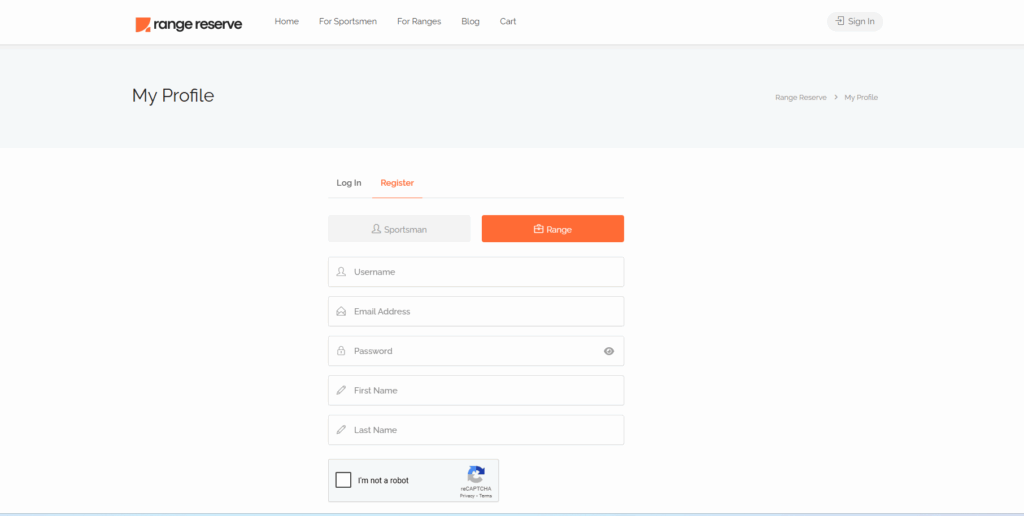
- Select Range
- Choose where your listing fits in.
Pick the range category that best matches your venue or service—it helps customers find you faster.
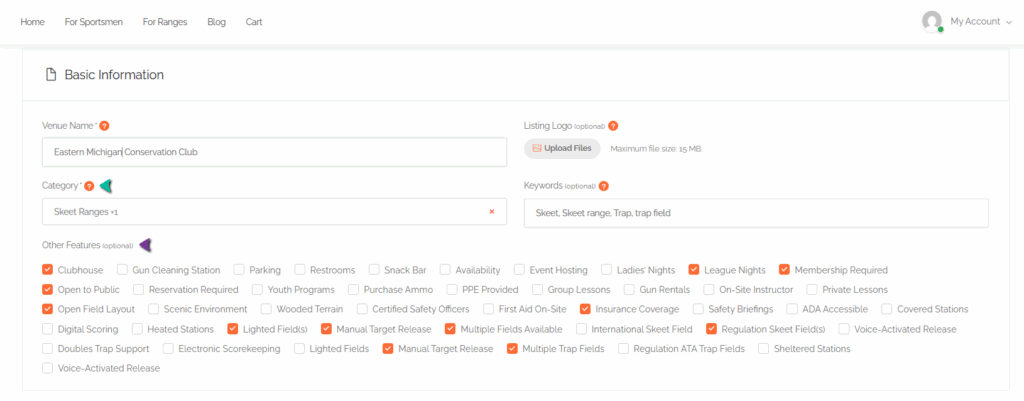
- Populate the Basic Information Section
- Tell us the essentials about your venue.
Fill in the name, type of venue, and a short description to give potential bookers a quick overview.
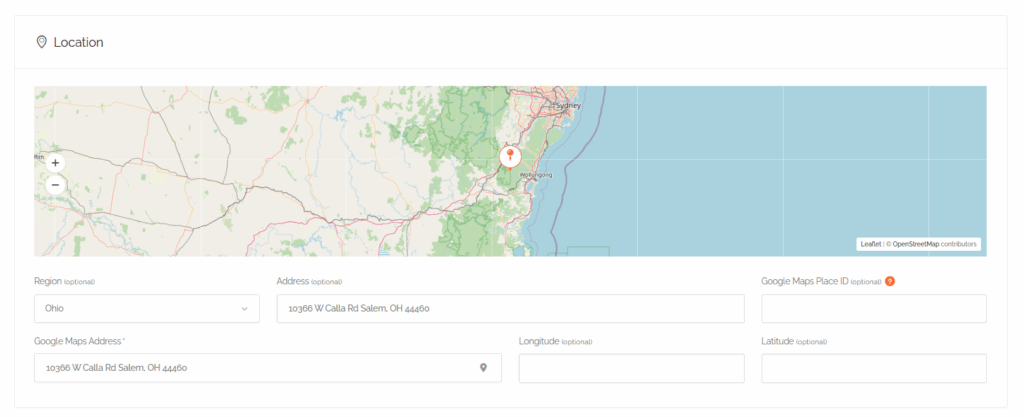
- Populate Your Location Information
- Let them know where to find you.
Enter your address and location details so guests can easily plan their visit.
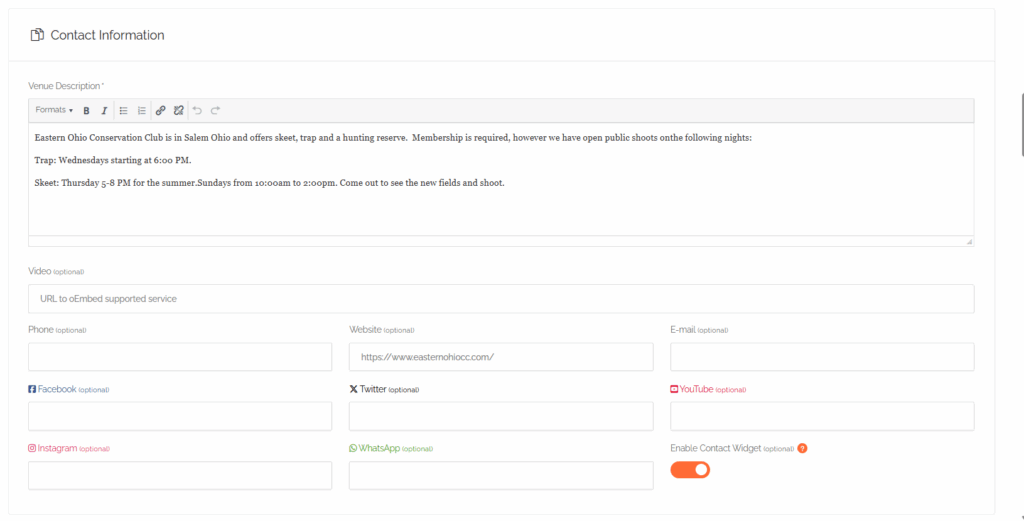
- Populate Your Contact Information
- Stay connected.
Provide a venue description, your phone number, email, or any other preferred method of contact in case users have questions or booking needs.
- Upload Any Pictures
- A picture is worth a thousand bookings.
Add high-quality photos of your space—this is your chance to shine and show off your venue’s best angles.
- Enter Pricing and Bookable Services
- Be clear and competitive.
Set your prices and outline what services are available for booking so customers know exactly what to expect.
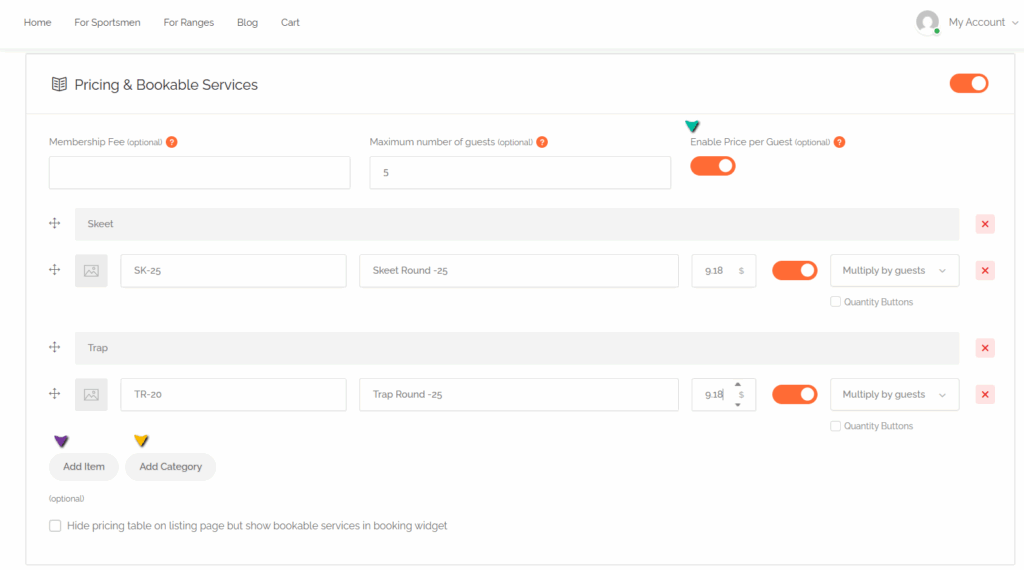
To organize and streamline the listing process, first create categories (I.e.: Skeet, Trap), then add items under the category (i.e..: SK 25 for Skeet Round 25 targets).
Please note that Range Reserve charges a 10% booking fee to cover platform operation and credit card fees.
Setting Your Price Per Round:
- Calculate your listing price (standard pricing + incidental fees)
- Add the 10% platform fee
- Use this total as the price in your listing on Range Reserve
Here’s an Example:
- 25 Skeet Round – standard price $10.99
- 10% Platform Fee – $1.09
- Price on your listing – $12.89
- Set Venue Hours of Operation
- Let customers know when you’re open.
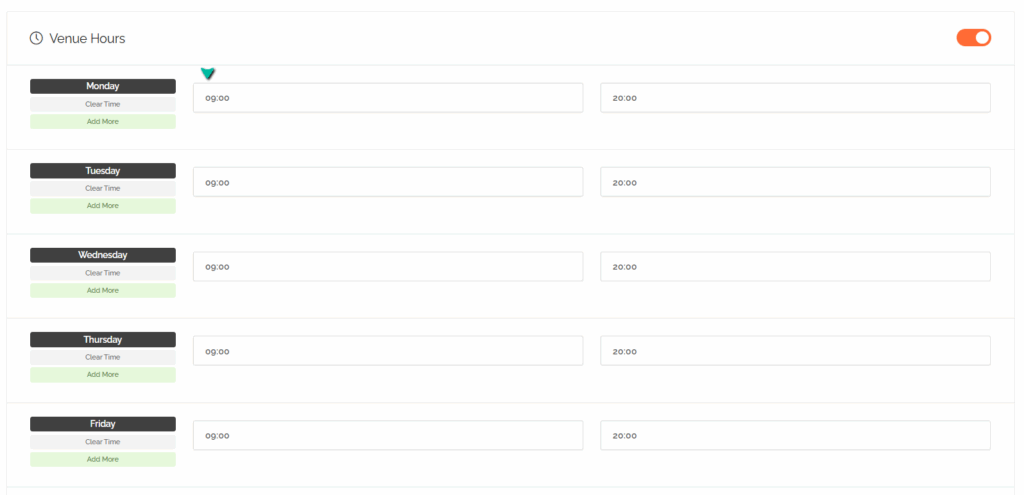
Define your open and closed times to avoid confusion and ensure smooth scheduling.
- Enter Booking Settings
- Customize how bookings work for you.
Choose options like notice times, minimum durations, or custom rules for how guests can book your space.
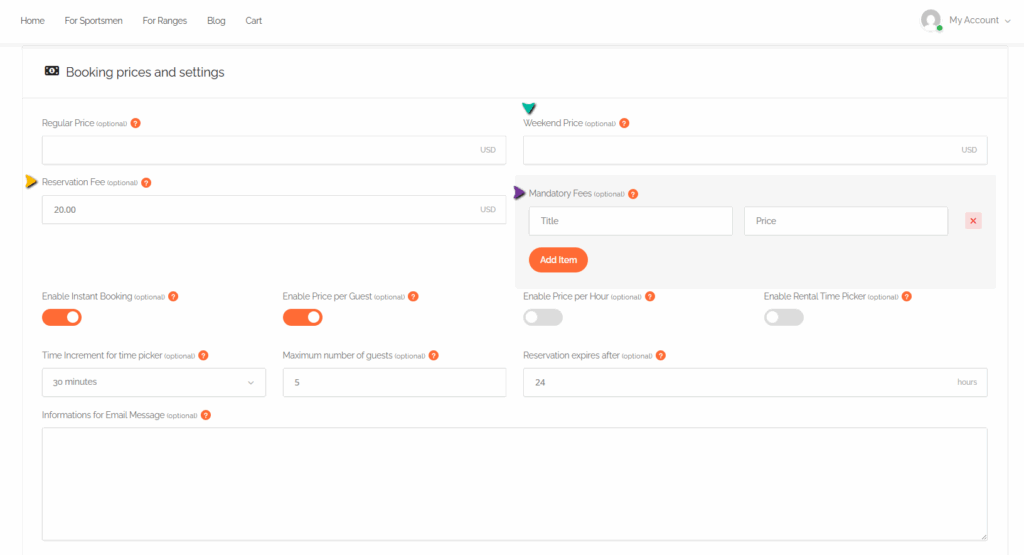
Please enter any rate differences between weekday and weekend bookings in this section. Be sure to also include any mandatory fees (e.g., cleaning, resort, or booking fees) and the cost of golf cart rental, if applicable.
- Upload Your Waiver (If Applicable)
- Keep things safe and professional.
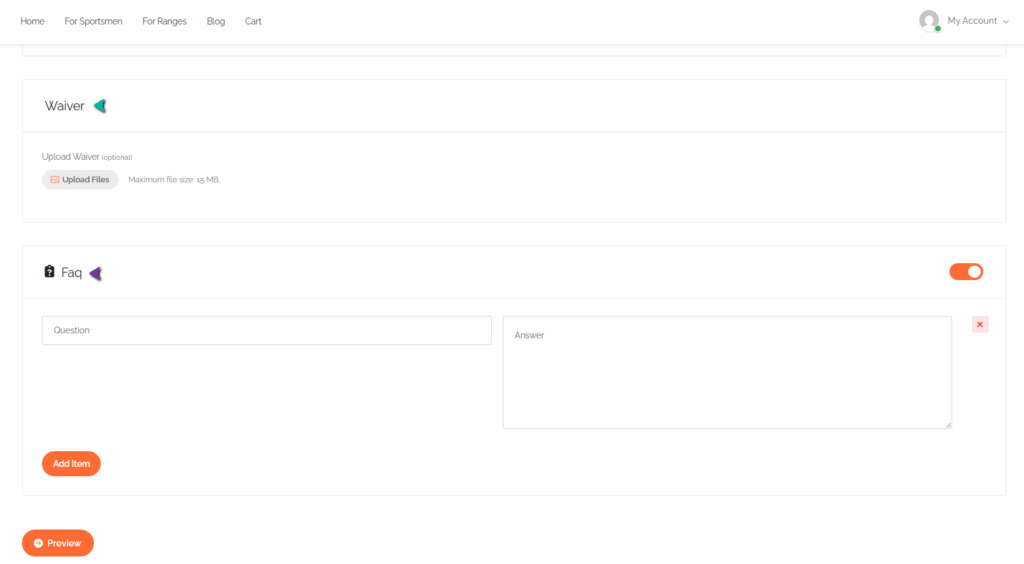
If your venue requires a liability waiver, upload it here so users can review and sign if needed.
- Preview
- Almost there—give everything a final look.
Check that all your details look great and read well. This is your last chance to make edits before going live.
- Submit
- Ready, set, list!
Click submit to send your listing to our team. We’ll take it from here.
✅ What Happens Next?
- We’ve got it from here.
Range Reserve will review your listing and approve it once everything looks good. We’ll notify you as soon as it’s live and ready to book!